

Quick answer: The post shares five must-have resources for using Cricut Design Space on iOS devices: iZip, AnyFont, the Makers Gonna Learn Dashboard, TroyGram, and the Cricut Reference Guide. iZip is a free app that unzips SVG and PNG files so you can use them in Design Space, and AnyFont ($1.99) lets you download fonts to your device and upload them into Design Space. The last three are technically not apps but handy resources: the Makers Gonna Learn Dashboard serves as your member hub, TroyGram helps you create monogram designs, and the Cricut Reference Guide is a guide you can bookmark on your device. You can add these web resources to your home screen using the share button and Add to Home Screen.
One of our favorite things about our Cricut die cutting machine is that we can access Cricut Design Space on our iOS devices and use it to design with ease anywhere and anytime! We have some Must Have Apps for Using Cricut that we want to share with you today.
With these five awesome apps, we can create amazing die cutting craft projects and take full advantage of Cricut Design Space on our iOS devices. Let’s get started and break down these amazing Cricut tips for you.
Must Have Apps for Using Cricut
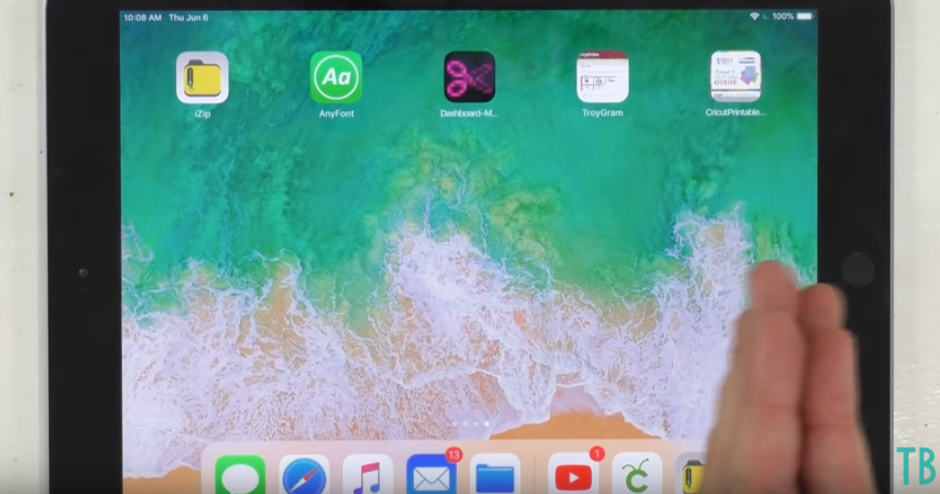
iZip
The first two we’re going to talk about are ones we have referred to in many, many videos and blog posts before. With iZip, we can easily unzip SVG and PNG files and use them in Design Space.
It is a free app that you will need if you want to use any of our cut files (or those from other sites) on your iOS device. There is a premium version you can pay for if you prefer to use iZip without any ads.
AnyFont
AnyFont allows us to download fonts onto our devices and then upload them into Design Space for use there. We use this with our Makers Gonna Learn fonts all the time! You can add other fonts that you like as well.
The installation process is really easy. AnyFont is not a free app but it is only $1.99 and well worth the cost. We haven’t found anything else that works as well.
Want to learn more about using Cricut Design Space on your iOS device? Check out these posts: How to Download SVG Files and Import Them into Cricut Design Space AND How to Download a Font for Cricut Design Space on your iOS Device
Makers Gonna Learn Dashboard
The next three are technically not apps but they are things we refer to all the time while working in Cricut Design Space on our iOS devices. The first is our Makers Gonna Learn dashboard.
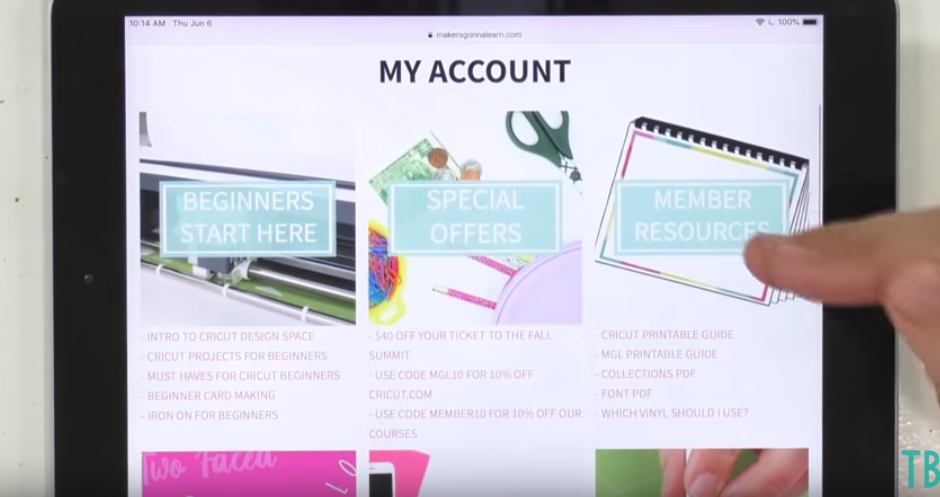
As a Makers Gonna Learn member, this will serve as your hub. It can come in really handy while creating with your Cricut.

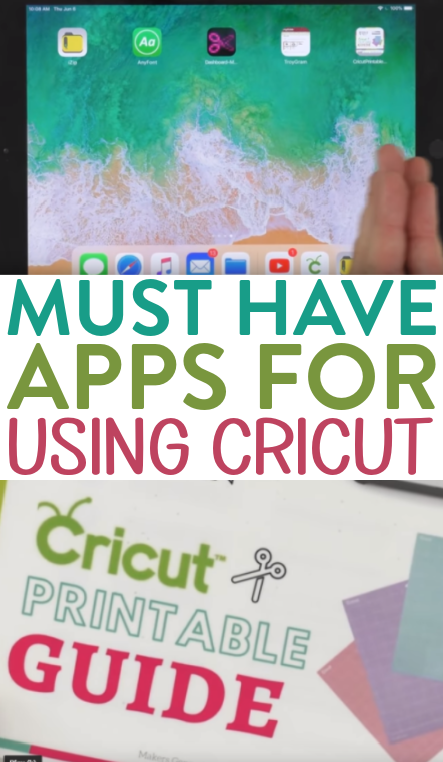
You might be wondering how we managed to add our dashboard onto our iOS device screen like we did. It’s really quite simple! First, you want to click on the button in the top right of your screen that allows you to share a webpage to various locations.
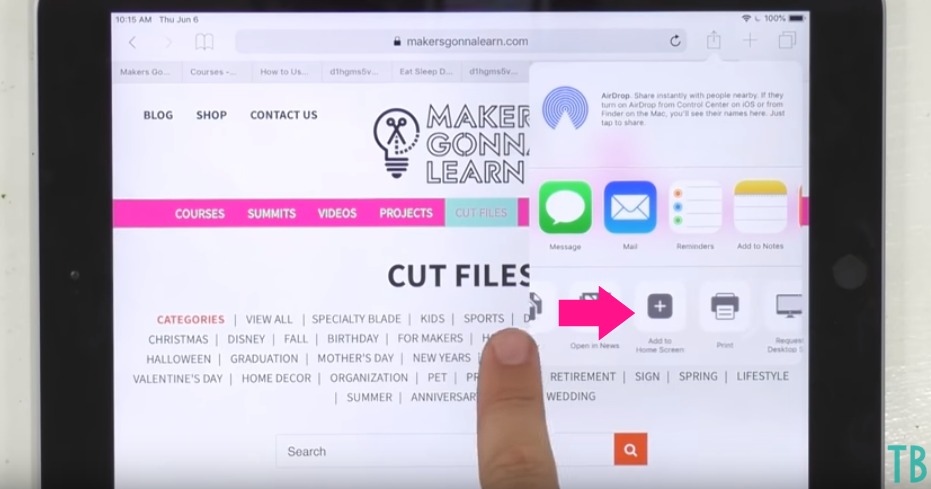
If you scroll over, you’ll see the option to “Add to Home Screen”. Once added, you can hold and drag it to wherever you want it to be. We like to keep all of our Cricut related apps and resources together.

TroyGram
Next up is TroyGram. We like to add the How to Use page to our home screen. This is a fantastic tool and resource for creating your own monogram designs.

Cricut Reference Guide
Finally, we have our Cricut Reference Guide. We have printed ours out, laminated it, and bound it into a book. Now, we can refer to anytime we’re working with our Cricut machine. Having it bookmarked right on our device though is perfect for when we want to design on the go.
We hope all of you found some great apps and tips here for really maximizing your use of Cricut Design Space on your iOS device!

Frequently Asked Questions
Do I need to pay for these Cricut apps?
iZip is a free app, though there’s a premium version you can pay for to remove ads. AnyFont is not free but costs only $1.99, which the post says is well worth the cost for downloading and uploading fonts into Design Space.
What does iZip do for Cricut users?
iZip lets you easily unzip SVG and PNG files so you can use them in Cricut Design Space. It’s a free app you’ll need to use Makers Gonna Learn cut files, or those from other sites, on your iOS device.
How do I add these resources to my iPad home screen?
Click the button in the top right of your screen that lets you share a webpage, then scroll to find the Add to Home Screen option. Once added, you can hold and drag it wherever you want, which is handy for keeping all your Cricut resources together.


