

This tutorial is perfect for all of you Cricut beginners. You may not have realized when you bought your Cricut machine that it not only does die cutting, but that you can write and draw with it as well. This is a basic how to write and draw with Cricut tutorial for beginners.
Writing and drawing with a Cricut die cutting machine is a super simple process that will greatly expand your ability to make all kinds of craft projects in Design Space. This blog post and video are going to be really helpful for you in learning this fundamental Cricut technique.
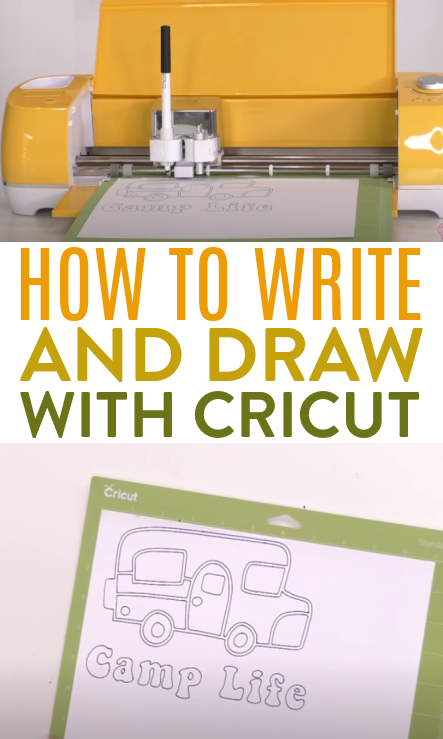
How to Write and Draw with Cricut
You’re going to love how easy it is to use pens and markers in your Cricut to draw and write with your machine.
The Makers Gonna Learn cut files and fonts we are using for this easy Cricut tutorial:

Working in Cricut Design Space
Begin by downloading the cut file from Makers Gonna Learn and uploading it into Cricut Design Space. Download the font and install it.


Add the camper van cut file to your canvas in Design Space. Select the camper and choose Weld at the bottom of the Layers panel. Why weld? It’s a lot easier to draw it when it is one complete design instead of many separate lines.

Now, open a text box. Go to System Fonts and search for the font you want to use.

Once you have typed in your chosen text, select both layers: the cut file and the text. Go up to the top menu and choose Align, Center Horizontally.

Once again, select both layers and choose Attach.
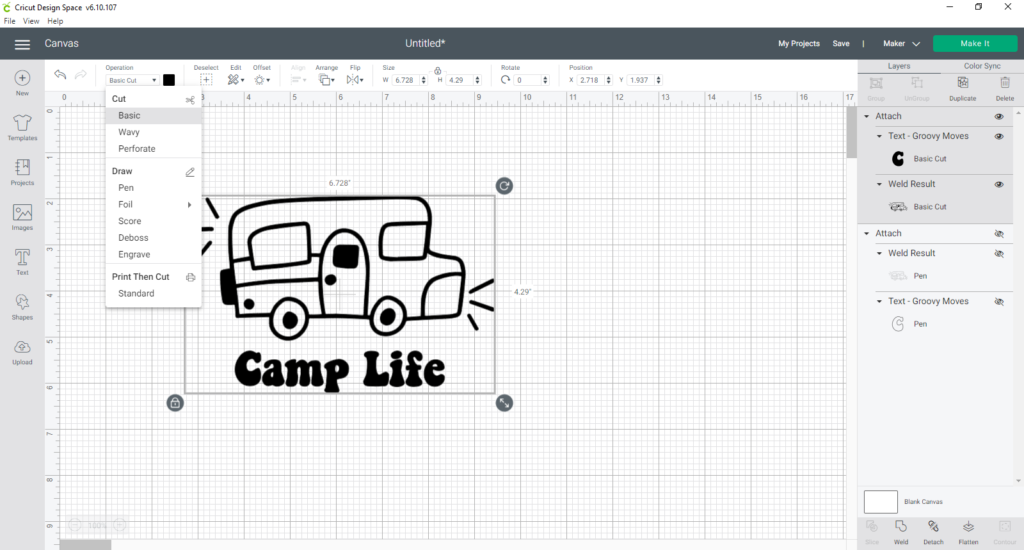

Next, go to Linetype from the top menu. Change the Linetype from Basic Cut to Draw. Choose your pen.
Note: this design will not be fully colored in. The Cricut writes and draws outlines only. You can leave as is or color it in yourself. If you want to fill in the font with your machine, we have a great hack using the Offset tool.
Be sure to size your design appropriately for your finished project.
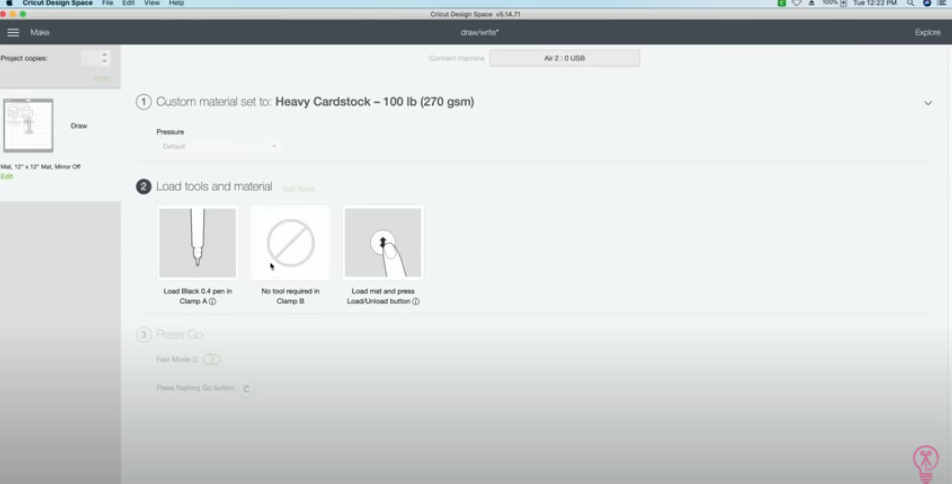
Getting Ready to Write and Draw
Click Make It. Choose your material and load your tools.
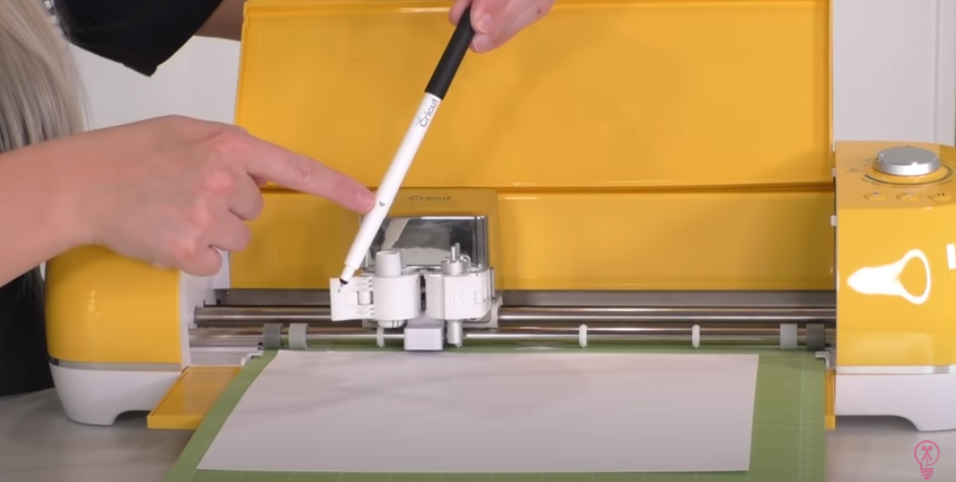
Place your paper on the cutting mat and load it into your Cricut. Place your pen in Clamp A. You want to be sure to insert the pen right to the arrow. You should hear a click.
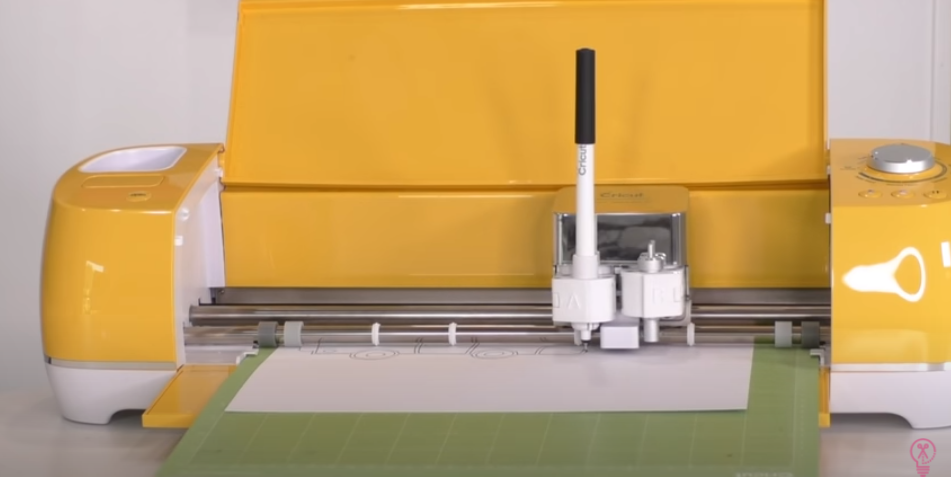
When finished, remove the pen and be sure to put cap on right away so it doesn’t dry out.

Once the writing and drawing is complete, unload the cutting mat from the machine.

Check out the completed drawing and writing done by your Cricut die cutting machine! Amazing, isn’t it? You can create custom designs for greeting cards, coloring pages, and other fantastic craft projects. You can even use your Cricut to write inside a greeting card.

We can’t wait to see the craft projects you create using pens and markers in your Cricut machine. Tag us on social media using the hashtag #MakersGonnaLearn.


